MS Access errors
MS Access-side errors during a DBConvert run, with the fix for each.
Last updated August 19, 2026
Error 3343: Unrecognized database format
The bitness of DBConvert does not match the bitness of the installed Microsoft Office Access. The two must match for DBConvert to open .accdb / .mdb files.
Fix:
- Check the bitness (x86 or x64) of the Microsoft Office Access installation on the DBConvert machine.
- In the DBConvert download archive there are two installers, one per bitness. Install the one that matches Office.
- If Office Access x86 is installed, use the x86 DBConvert build. If Office Access x64 is installed, use x64. If they disagree, uninstall and reinstall the matching DBConvert build.
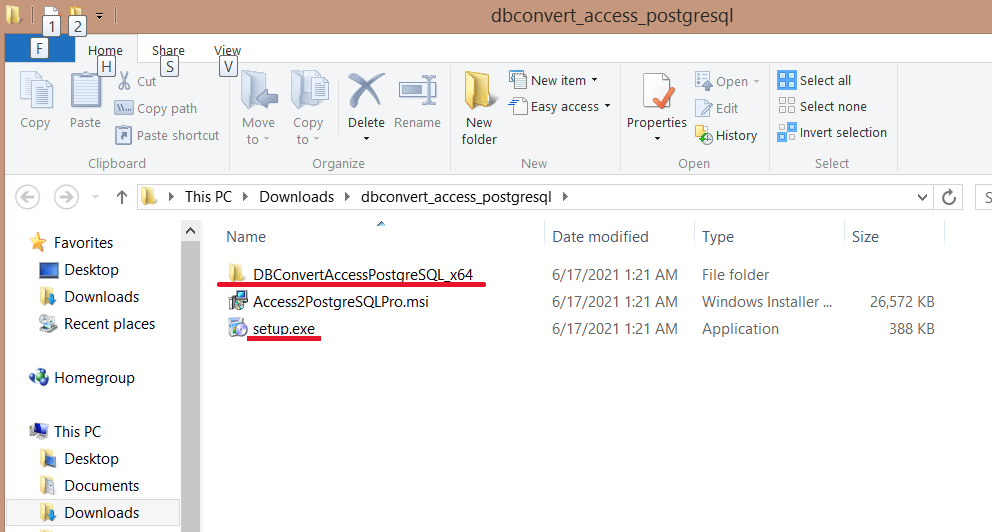
Office 365 / Access 2016: additionally install Access 2013 Runtime on the DBConvert machine. The 32-bit Access Runtime is required for 32-bit Microsoft 365 Access.
Run-time error 3044
MS Access raises this error when linked tables in the source database point at a file path that no longer exists.
Fix: open the source .accdb / .mdb in Access, repoint the linked tables to their current locations, save, and rerun the migration.
"Object was open"
The DBConvert session loader sometimes reports "object was open" when reopening a session against a large source table.
Fix:
- Increase the query timeout on the source server. In SQL Server, raise Remote query timeout in the Remote server connections properties.
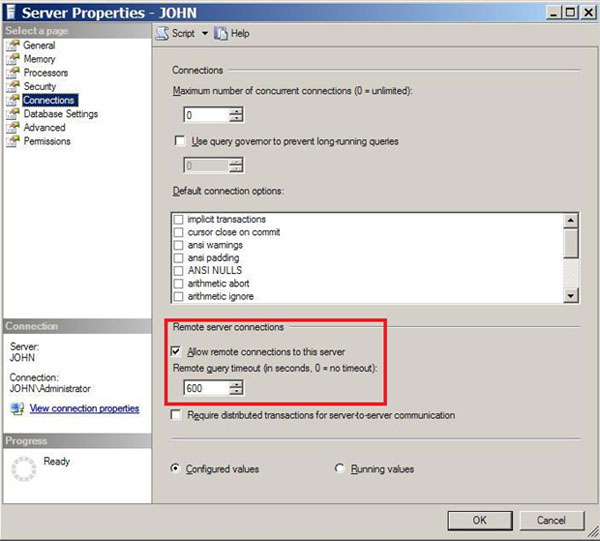
- For DBSync against a large source table, enable Quantization for that specific table. Large tables are more likely to surface the error, and Quantization splits the work into smaller batches.