Customization overview
Set the job, then the defaults for every table, then the exceptions.
Last updated October 19, 2026
Applies to Firebird & SQL Server, Firebird & PostgreSQL, SQL Server & MySQL, SQL Server & PostgreSQL, MySQL & PostgreSQL, SQLite & SQL Server, SQLite & MySQL. For any other pair, read Customization overview for the previous interface.
The Customization step shows a tree on the left and the options for the selected node on the right. It opens on Tables.
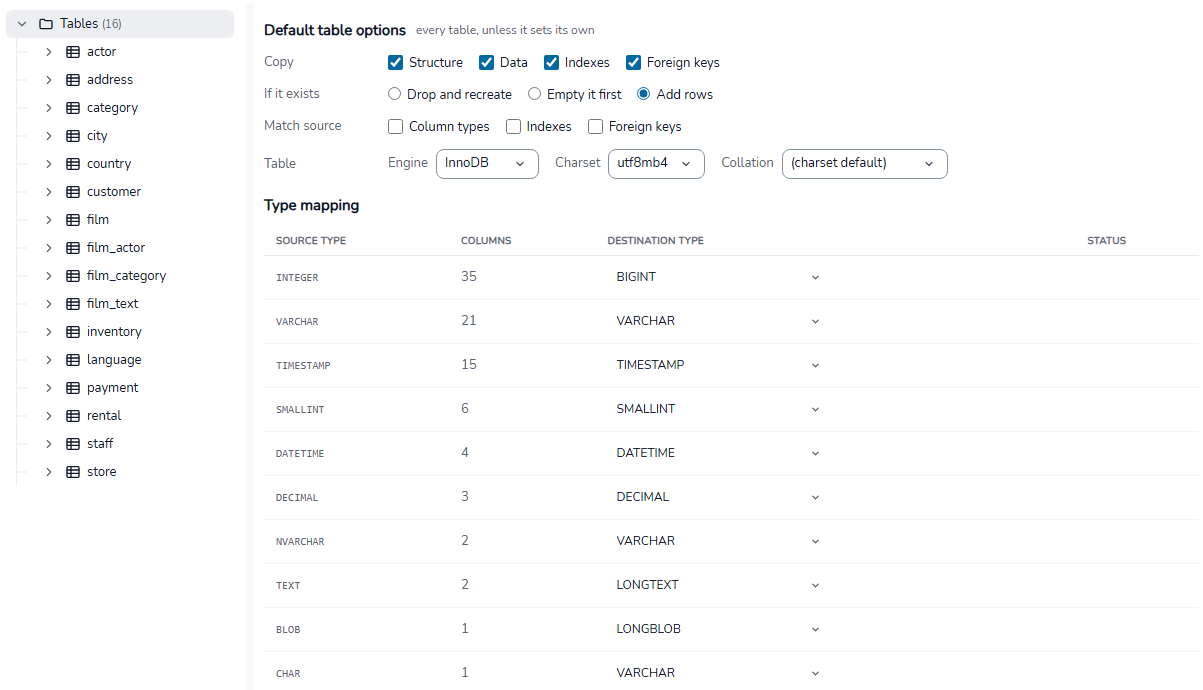
What each node sets
| Node | What you set there |
|---|---|
| Tables | The options every table starts from, and the type mapping for all columns. See Table options. |
| A table | That table only: copy options, a row filter, and its columns. See Override one table. |
| Columns, Indexes, Foreign keys | The columns, indexes or keys of that table, one row each. See Columns, indexes and foreign keys. |
Options for the whole job are on other steps:
- Setup: the mode and the synchronization method.
- Tables: which tables are included, and the rule for destination names.
- Execution: worker threads.
See Job options.
Markers in the tree
- A red dot on a table: it cannot run as it is. Two columns get the same destination name, or a column has a type the destination cannot hold.
- An amber dot: the table needs attention, for example a type that loses part of a value.
- A third dot, in the colour of changed settings: the table sets its own options or renames columns. Hover it to see how.
The Tables node counts the issues and warnings. The line at the bottom of the step lists them, with a link to each table. See Pre-migration checks.