Execution: review and run
The last step: check what the run will do, then start it.
Last updated November 8, 2026
- Review the job before the run
- Limit parallel work
- Verify after the run
- Start or schedule the run
- Remove tracking objects
Review the job before the run
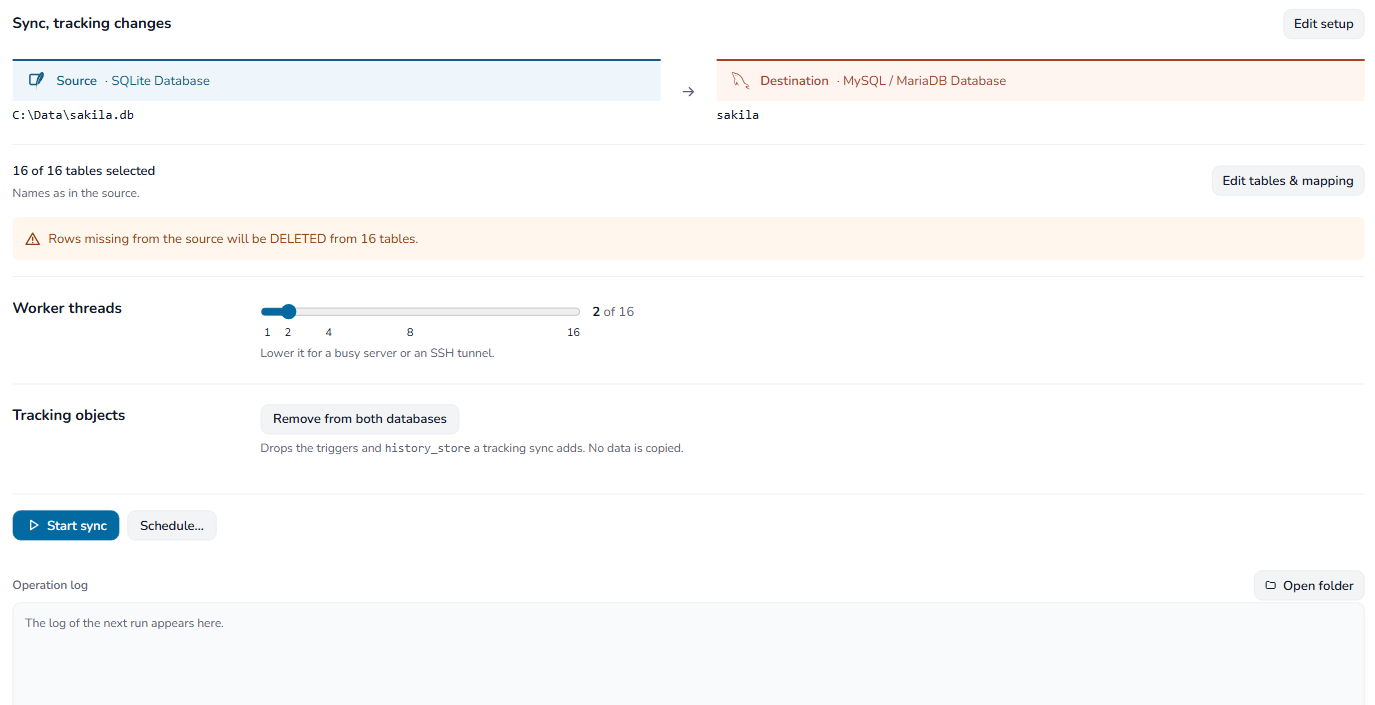
Execution shows the mode, both connections and the selected tables with their name rule. Edit setup and Edit tables & mapping go back to those steps.

A line under the tables says what the run does to tables that already exist. It turns orange when the run removes data.
Limit parallel work
Set Worker threads. The maximum depends on the licence:
- Personal: 2
- Business: 8
- Enterprise: 16
Lower the number when a server or an SSH tunnel is busy.

SQLite and dump-file destinations take one writer, so the control is disabled for them.
Verify after the run
Tick Verify after the run to check the destination as soon as the copy ends. See Verify the copy.
Start or schedule the run
- Start conversion (Start sync for a synchronization) runs the job now.
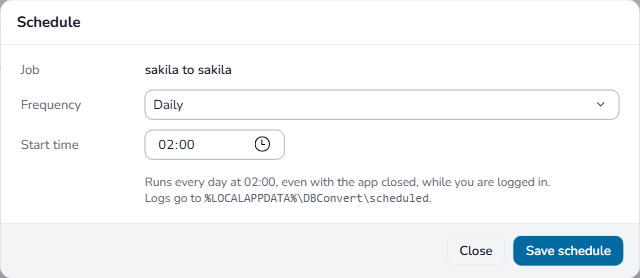
- Schedule… runs it daily, weekly or monthly in the background. It runs with the app closed, as long as you are logged in to Windows.
All frequencies, Run now and Remove: Scheduled jobs.
Starting or scheduling checks the tables again. Fix blocking issues on Tables & mapping first.
Click Operation log to open or fold the run's messages.
The result shows whether the run completed, completed with warnings, finished with errors, failed or was cancelled. Review skipped objects, failed tables and rejected rows before using the destination.
To run a job from a script, see Command-line mode.
Remove tracking objects
A tracking synchronization leaves its triggers and history_store in place between runs, so changes made while the app is closed are still recorded. When the job is finished with, open it, go to Execution and select Remove from both databases under Tracking objects. No data is copied.