Pre-migration checks
Find what would fail or lose data before the run starts.
Last updated November 6, 2026
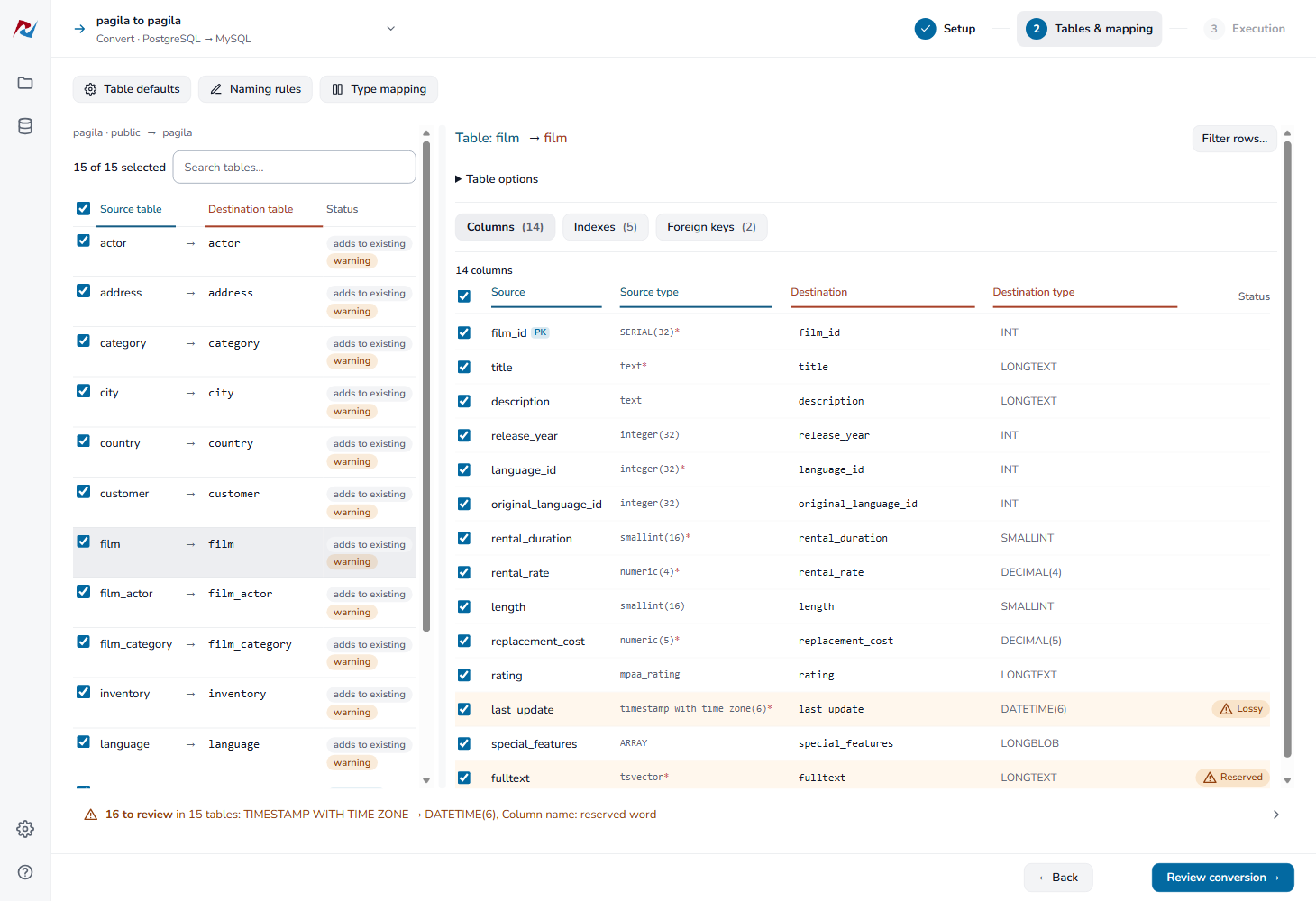
On the Tables & mapping step, DBConvert checks every selected table against the destination before anything runs. The result is the line at the bottom of the step. It covers all selected tables; the table list marks each table that has something to review, and the column list marks each column.
Click the line to open the list. Each reason names its tables and columns. Click a table to open it.
If the check fails, the app shows the reason and stops you from continuing. Starting or scheduling a job on Execution checks the selection again.
In the app there are two levels:
- Blocking (red): the run cannot start until you fix it. Review conversion stays disabled; point at it to see which column blocks it.
- To review (amber): the run can start, but the list says what will happen to the data.
- Two tables get the same destination name
- Two columns get the same destination name
- No destination type
- The destination type cannot hold the values
- The destination type loses part of a value
- A column maps onto an existing column of another type
- A NOT NULL destination column gets no value
- Names the destination does not accept
Two tables get the same destination name
Blocking. Rename or remap one of the tables before continuing. Multiple source tables cannot write to the same destination table.
Two columns get the same destination name
Blocking. Two source columns of one table are mapped to the same destination column. Rename one of them in the table's column list, or click Fix names on the validation line to give each a unique name.
No destination type
Blocking. The destination has no type for this source column, so the table cannot be created. Choose a destination type for the column.
The destination type cannot hold the values
Blocking. For example, a DECIMAL chosen with fewer digits before the point than the source has. Larger values would be refused. Choose a wider type.
The destination type loses part of a value
To review. The line says what is lost, for example:
- text truncated from 128 characters to 20;
- fractional seconds truncated, or a time zone dropped;
- decimal places rounded.
If that is acceptable, run as is. Otherwise choose a wider type for the column, or for every column of that type under Type mapping.
A column maps onto an existing column of another type
To review, in synchronization. A source column is routed into an existing destination column of a different kind, such as text into a number. Map it to another column, or check that the values convert.
A NOT NULL destination column gets no value
To review, in synchronization. The existing destination column requires a value, has no default, and no source column is mapped to it. Every insert would fail. Map a source column to it, or make it nullable in the destination.
Names the destination does not accept
The column list marks such names:
- Too long: blocking. The name is longer than the destination takes, so the run would fail.
- Reserved: to review. The destination reserves the word, so every query will have to quote it.
- Quotes: to review. The destination takes these characters only quoted.
To replace characters such as / or a space in every name, use Replace characters in Naming rules. If two names would become the same, the run stops before copying and names both.
For command-line and scheduled runs, see Checks before an unattended run. Their blocking rules differ from those in the app.