Trigger-based synchronization
Replicate only the changes since the last run by capturing source-side modifications with triggers.
Last updated November 6, 2026
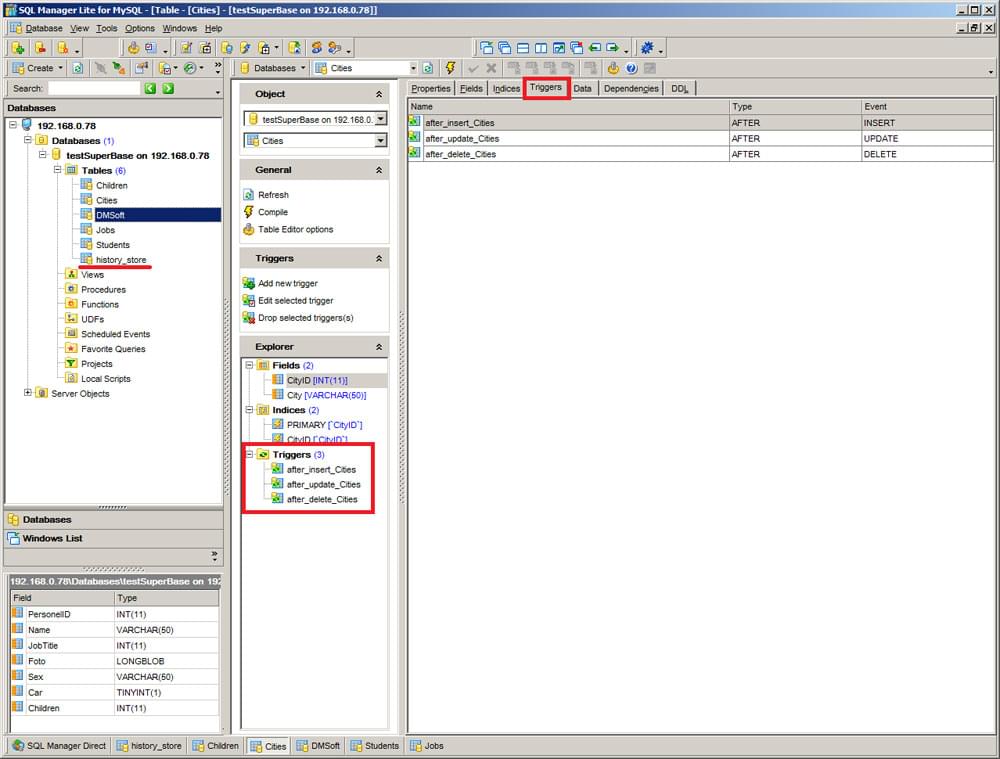
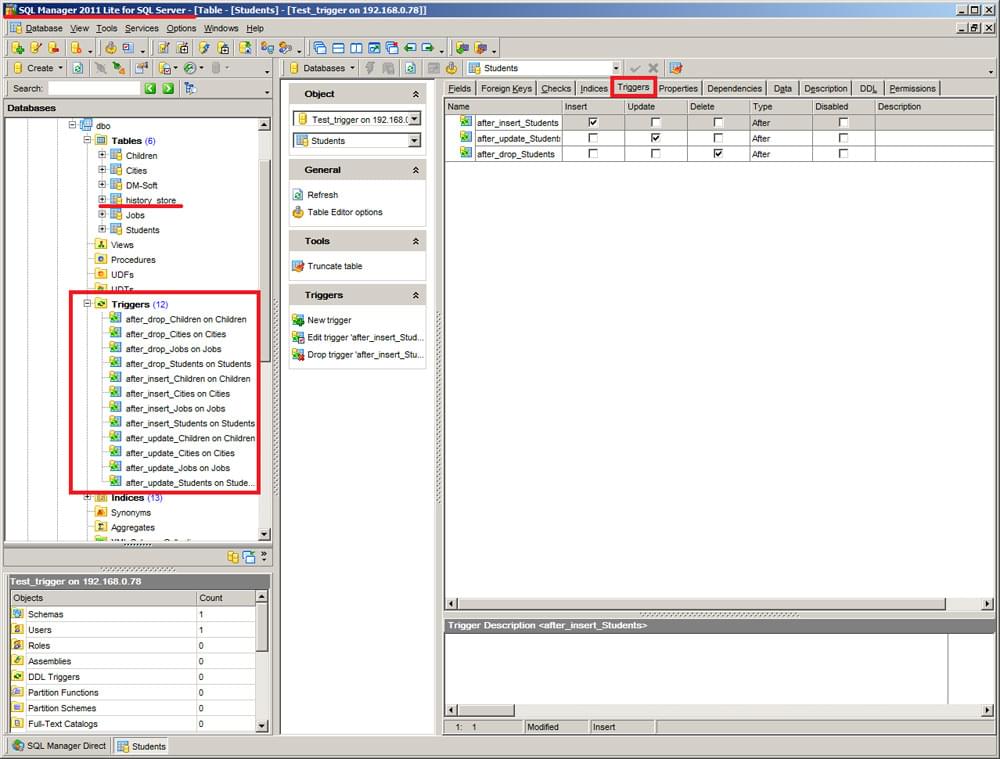
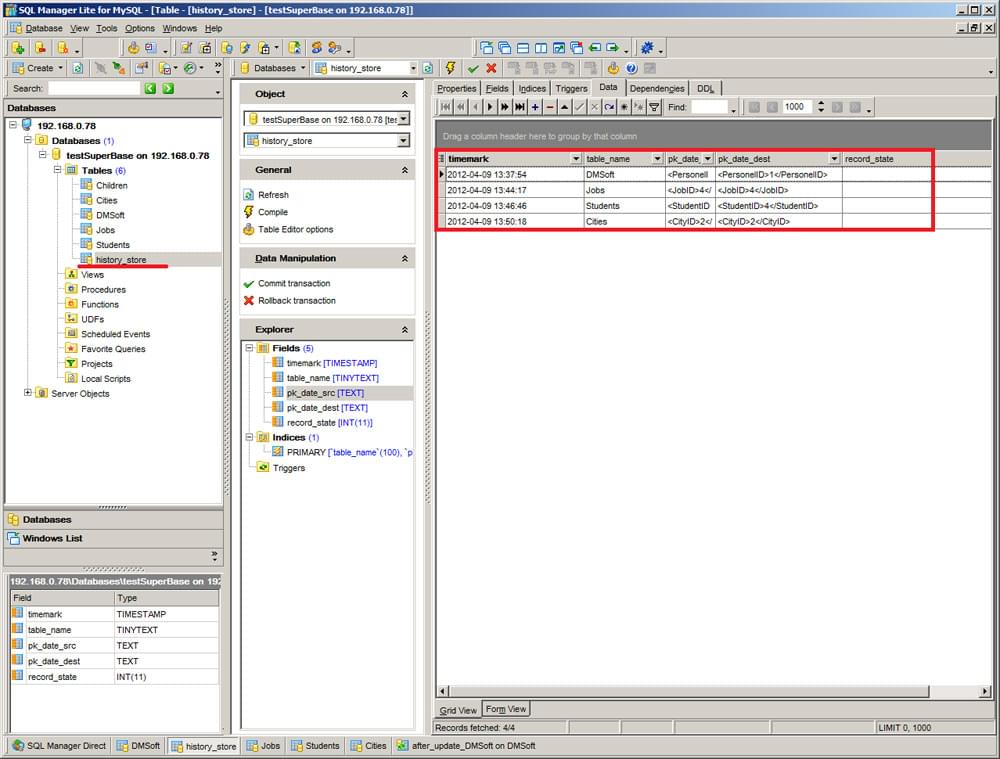
Trigger-based synchronization records changes between runs. DBConvert installs triggers on the source and target tables; the triggers capture every INSERT / UPDATE / DELETE into a history_store table. Each subsequent sync run reads only the recorded changes, instead of comparing the entire dataset row by row.
Why use it
- Only recorded changes. Later runs read the change history instead of comparing both databases in full.
- Repeat runs. Run the saved job manually or on a schedule to apply pending changes.
- Simple configuration. One choice on Setup; the app creates and removes the objects.
Trigger-based sync is the foundation for both one-way sync and bidirectional sync.
Requirements
- Direct access to both databases with privileges to create triggers and create tables.
- Every synchronized table must have a Primary Key.
If the connecting user is not allowed to create triggers - a common restriction on locked-down or hosted databases of any engine - trigger-based sync cannot be set up. In that case use the standard, non-trigger synchronization instead: it compares the source and target row by row (Insert / Update / Drop) and needs no triggers.
1. Turn it on
On Setup, set Mode to Sync and Detect changes by to Tracking changes. A new synchronization job starts with it. Tick Two-way to carry changes in both directions.

The other choice, Comparing rows, reads both databases in full. Enable Delete under Sync rows to delete destination rows missing from the source.
2. The first run
The first run copies the tables and creates a history_store table in each tracked database, and insert, update and delete triggers on every synchronized table. On large schemas this takes noticeable time.
3. Later runs
From then on the triggers record changes, also while the app is closed. Each run, manual or scheduled, applies recorded changes. Changes whose writes fail remain pending for a later run.
Which changes are applied is set under Sync rows: Insert, Update, Delete. See Table options.
Existing tracking triggers
During synchronization, DBConvert updates old tracking triggers that lack the sync marker. The marker prevents writes made by synchronization from being recorded as new user changes. This applies to Firebird, SQL Server, Oracle, MySQL, SQLite and PostgreSQL 9.6 or later.
For MySQL, grant LOCK TABLES before the first run with old tracking triggers. Updating them without this privilege can leave changes made during the update unrecorded. Review the log for trigger update failures before relying on later runs.
Concurrent changes
On MySQL, Oracle and SQLite, two edits to the same key within one second can leave the second edit unrecorded if synchronization reads between them. Avoid overlapping writes to the same row during synchronization.
Access, Excel and FoxPro sources use comparison instead of trigger-based tracking.
4. Remove triggers
When the job is finished with, open it, go to Execution and click Remove from both databases under Tracking objects. It drops the triggers and the history_store tables. No data is copied.
