Database Conversion and Synchronization software
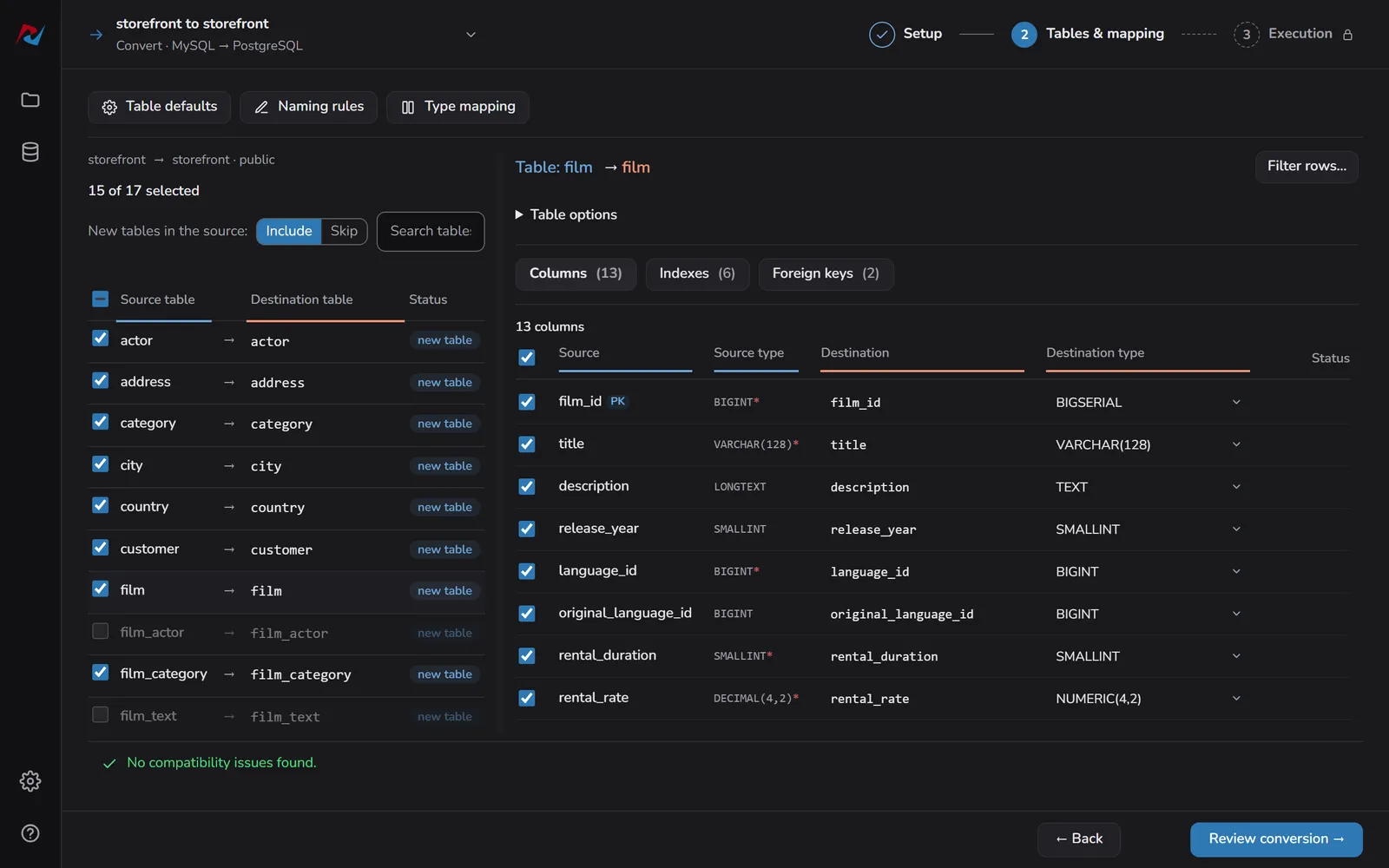
Migration between different database engines that rebuilds schema, indexes, and foreign keys on the target - with the type mapping reviewed before anything runs.
supported
sync directions
+ On-Premise
 DBConvert for MySQL & PostgreSQL

Supported Databases
Choose your source, then pick a supported destination.
Every database works with DBConvert desktop apps, except those marked Streams only.
Streams Also available in DBConvert Streams
Choose a destination
Cloud destinations
Cloud databases use the same product as their engine.
On-premise7


Cloud-native17


No matching database. Try another name or clear the search.
DBConvert Products
Three products, one line: one pair, every direction, or continuous replication
DBConvert
Best for
- One-time conversion or recurring sync, chosen at the start
- Views rewritten for the target dialect, type mapping reviewed up front
- Trigger-based sync on a schedule
DBConvert Studio
Best for
- 30+ engines without a tool per pair
- The same conversion and trigger-based sync
- Saved, repeatable jobs across directions

DBConvert Streams 2.0
Best for
- Continuous replication (CDC)
- Minimal-downtime cut-over: initial load, then CDC
- Databases, files, and S3 in one tool
What’s new in 5.7.0
A run you can follow, and Azure SQL as plain SQL Server
- New Execution screen: phases, every table
- Azure SQL: encryption on by itself
- First tracking sync: 3M rows in 18 s
Two relational engines rarely agree on the details. Data types, how metadata is stored, and the way each one handles SQL all differ - and that's where a move between them breaks.
Doing it by hand is slow and easy to get wrong. One mismatched type or dropped key, and the data on the other side no longer matches the source.
DBConvert handles the conversion and replication for you, keeping table structures and the relationships between tables intact. It can create the target database from scratch, build the tables and indexes, or load data into one that already exists.
Why DBConvert?
An AI can write a migration script in a minute, but it has never seen your data. DBConvert has been moving real customer databases since 2001 - the four things below are what that has taught it.
Migrate your data fast
PerformanceDBConvert splits large tables into chunks and moves them in parallel, so a migration that would run for hours on a single thread finishes in a fraction of the time. The bigger the database, the more the parallel transfer pays off.
Transfer your data error free
ReliabilityBefore any data moves, DBConvert checks the source and target structures and the relationships between tables. It flags type mismatches and missing keys up front, so problems surface before the transfer starts instead of halfway through.
Convert views/ queries automatically
AutomationDBConvert translates SQL views and their queries into the target dialect for you, so you don't have to rewrite them by hand for each database. Supported on selected pairs - check the docs for the ones that apply to your migration.
Sync database accurately and fast
SyncAfter the first migration, DBConvert keeps databases in sync using triggers or CDC, so only the changes move instead of the whole dataset. Sync can run one way or in both directions when you need each side to stay current.