
SQLite Migration Tools
Into MySQL, SQL Server, Oracle, Access or FoxPro, and back out again
DBConvert migrates a SQLite database file into MySQL, SQL Server, Oracle, Access or FoxPro, and the same converter moves the data back the other way into a SQLite file. It opens the file on Windows, connects to the server itself, creates the target tables with their indexes and keys, and transfers the rows.
What is never automatic is typing. A SQLite column declaration is an affinity hint rather than a constraint, so a column declared INTEGER can hold text in real rows, and SQLite has no date or boolean type at all: applications store dates as ISO-8601 text and booleans as 0/1 integers. Every conversion out of SQLite has to commit to a concrete type on the target, which is what the type-mapping review is for - it lists each column with the type it will get, and you override the ones your data has outgrown before the run.
- Runs on Windows as a desktop application: it opens the SQLite file and connects to the server itself.
- Convert once, or keep the SQLite file and the server synchronized on a schedule, in one direction or both.
- SQLite works as the source and as the target: the same tool exports a server database down into a single portable file.
Look inside the file before you migrate
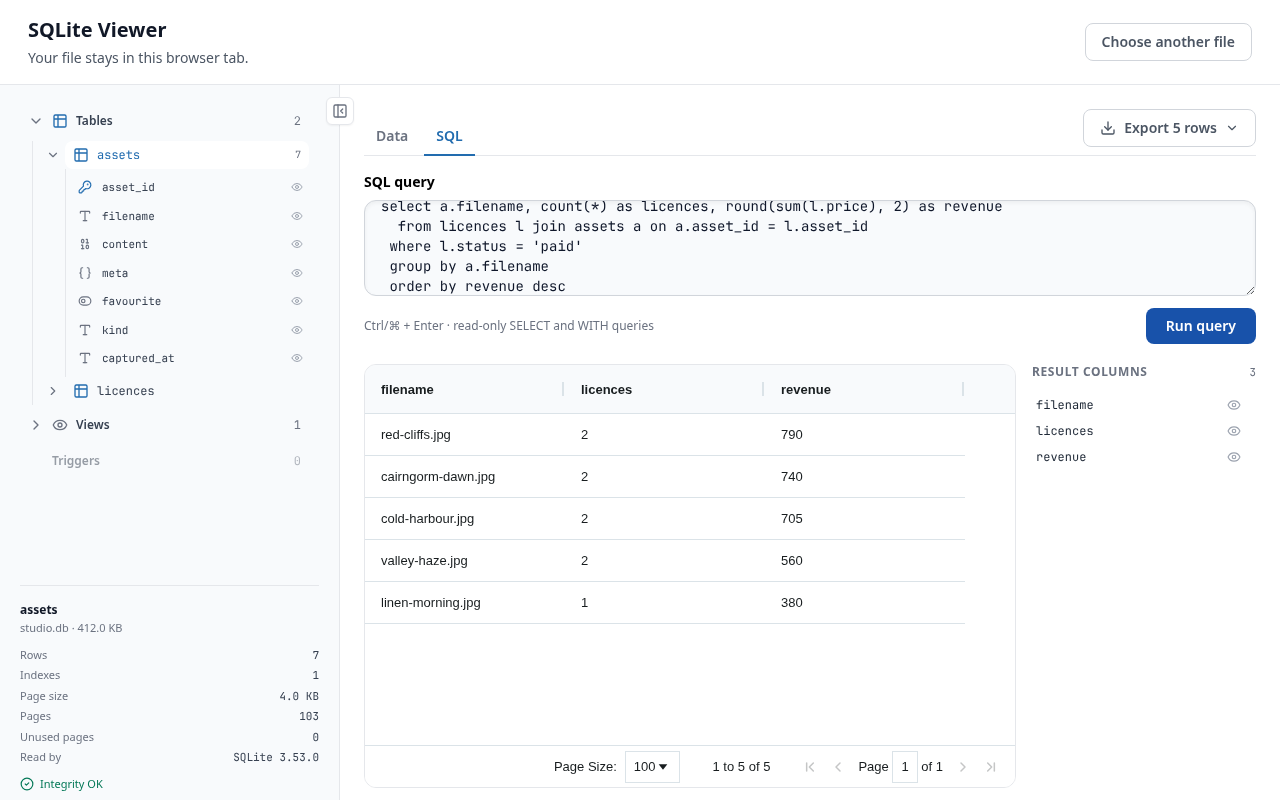
The converter above is a Windows application. This is a separate free tool and it is not an upload service: the page itself reads the file, so you can check what is in a SQLite database from any machine before installing anything.
Free online viewer - open the file in your browser
Free, no account, nothing to install, and nothing uploaded: the page reads the file off your disk inside the browser tab and it never leaves your computer. Each one gives you the file's structure, a read-only SQL editor over it, and the query result exported as CSV or JSON.
.db, .sqlite or .sqlite3 alike - and a BLOB cell previews in place instead of only downloading.
Or run it where you already work VS Code · Open VSX for Cursor, Windsurf and VSCodium · Chrome
Pick the Engine on the Other Side of SQLite
Each converter runs both directions. The same download loads a server database into a SQLite file and pushes a SQLite file back up to the server, so there is nothing separate to fetch for the return trip.

SQLite and MySQL
Also MariaDB, Percona Server and managed MySQL services. This pair runs the rebuilt 2026 application and ships as one signed installer.
Download converter

SQLite and SQL Server
SQL Server, Azure SQL and SQL Server on RDS, with SQLite affinities resolved to strict SQL Server types.
Download converter

SQLite and Oracle
Oracle Database on premises or on RDS, in either direction - including an Oracle schema exported down to one portable file.
Download converter

SQLite and Access
Two file databases, one exchange: .mdb or .accdb into a SQLite file that carries no Jet or ACE driver dependency, and back.

SQLite and FoxPro
Visual FoxPro and DBF tables into a single SQLite file, and back out to DBF when an older application still needs it.
Download converter

SQLite and PostgreSQL
There is no single-pair converter for this route. DBConvert Studio supports SQLite and PostgreSQL both as source and as target, so it migrates either direction in one job.
DBConvert StudioStudio's parallel transfer is unavailable when SQLite is the target, so a load into SQLite runs single-threaded.
What Changes When SQLite Is on One End
SQLite is permissive where servers are strict, and a file where they are services. Four differences decide most of the work.
Dynamic typing
The conversion follows the declared affinity, not what the rows happen to contain. The type-mapping review lists every column with the target type it will get, so a column declared INTEGER that holds text is retyped before the run rather than rejected during it.
Generated keys
SQLite INTEGER PRIMARY KEY and AUTOINCREMENT are tied to ROWID. They map to the target's own generated-key mechanism and are reseeded above the highest loaded value, so the application's next insert does not collide with a migrated row.
Dates and booleans
SQLite has neither type. Dates live as ISO-8601 text and booleans as 0/1 integers, and both arrive as whatever they were declared as - so they are the columns worth retyping by hand in the review. A column already declared DATETIME in SQLite comes across as a date.
A path, not a connection
The SQLite side of every job is a file path. There is no host, port, user or password to enter, no listener to open, and nothing to install on the machine holding the file - which is also why a finished conversion is one file you can copy.
What Travels With the Database
The tool moves structure and data. Procedural code is outside its scope, in both directions.
| Object | Carried | Detail |
|---|---|---|
| Tables and columns | Yes | Target type proposed per column and editable before the run. |
| Indexes | Yes | Recreated on the target alongside the table. |
| Primary keys | Yes | Generated keys reseeded above the highest migrated value. |
| Foreign keys | Yes | SQLite enforces them only with PRAGMA foreign_keys = ON, so a file can arrive holding rows its own constraints would reject. |
| Views | No | View translation covers the MySQL, SQL Server, Oracle and Access pairs. SQLite is not among them - recreate views on the target. |
| Triggers | No | Written by hand on the target. |
| Stored procedures | No | SQLite has none to carry, and procedural code on a server source is not migrated either. |