Normalized Structure
Create relational tables from nested JSON with appropriate relationships.

Convert JSON files into relational database tables
Import JSON data into MySQL, PostgreSQL, Oracle, SQL Server, SQLite, and cloud databases with schema normalization, type detection, and configurable field mapping.
JSON is widely used for APIs, configuration files, exports, and application data exchange. SQL databases add relational querying, reporting, indexing, constraints, and structured administration.
DBConvert JSON to SQL analyzes source documents, creates relational tables, maps nested fields, and loads data into supported database platforms.
Convert JSON to SQL when data needs repeatable reporting, joins, constraints, business intelligence, or integration with an existing database estate.
Extract nested data, infer SQL columns, and load normalized tables.

DBConvert Streams is a separate product for continuous, log-based change data capture. JSON to SQL conversion is for file import and structured relational loading.
Structured SQL output from nested JSON sources, with mapping control for practical imports.
Create relational tables from nested JSON with appropriate relationships.
Analyze values and choose suitable SQL column types for target databases.
Control table names, column mappings, and import behavior for repeatable jobs.
Load JSON data into MySQL, PostgreSQL, Oracle, SQL Server, SQLite, and more.
Import into managed database services on AWS, Azure, and Google Cloud.
Use saved mappings and predictable settings for recurring JSON loads.
Convert JSON data into on-premises and cloud-hosted SQL databases.
Flexible source documents need predictable relational modeling before they become useful SQL datasets.
Easy to inspect and debug before loading into a database.
Simple for applications and scripts to generate and parse.
Lightweight interchange format for APIs, exports, and data transfer.
Widely used across web applications, services, and integration pipelines.
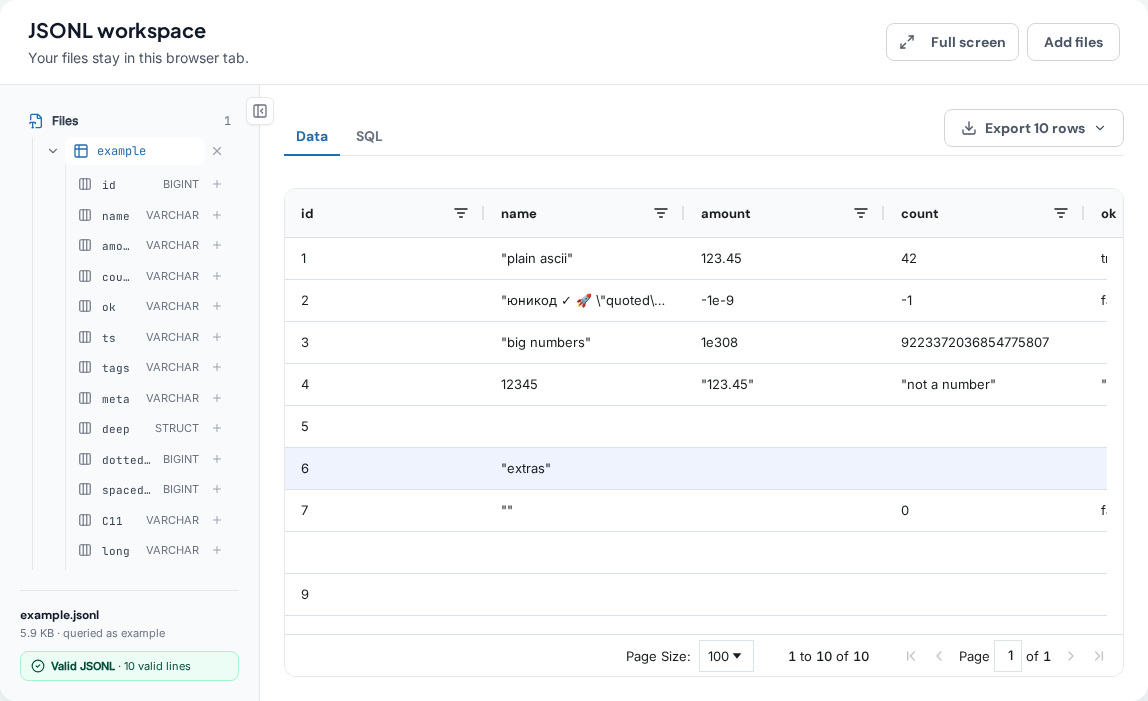
Free, no account, nothing to install, and nothing uploaded: the page reads the file off your disk inside the browser tab and it never leaves your computer. Each one gives you the file's structure, a read-only SQL editor over it, and the query result exported as CSV or JSON.
SELECT can join or union across them.
Or run it where you already work VS Code · Open VSX for Cursor, Windsurf and VSCodium
Download DBConvert JSON to SQL or contact support for help planning an import workflow.
Send us a message
We answer within 24 hours.