DBConvert & DBSync Features
Discover the advanced capabilities that make database migration and synchronization effortless, secure, and lightning-fast.
Speed up your database migrations
PerformanceMigration speeds depend on different factors including the source dataset size, the computer performance, the output settings and so on. The conversion engine handles databases with millions of records: about 1 million records convert in 5-10 minutes in typical setups.
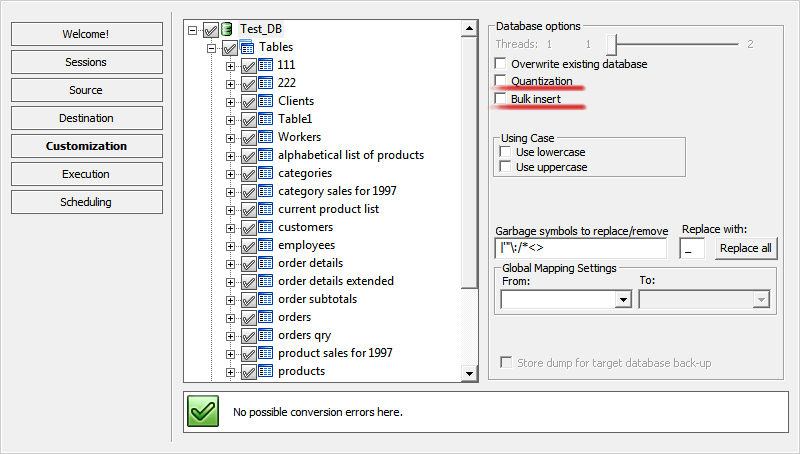
Bulk Insert Option
Used for time-critical operations. It inserts several records at a time to a target database to speed up a whole database migration.
Quantization Option
Supports large tables with millions of rows more efficiently. Programs read a source database, split the whole record into portions to upload them to a destination database.
Transfer your data error free
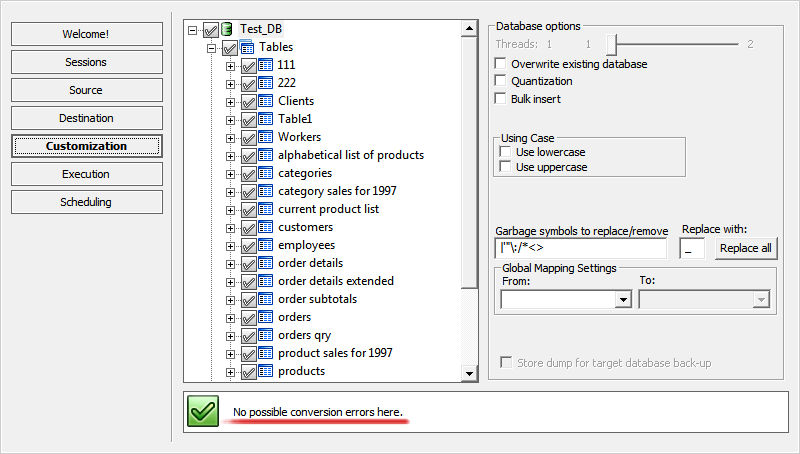
ReliabilityDetect potential conversion issues before the conversion process gets started! To prevent is better than to correct. Our software displays warning messages about database type inconsistencies and reports potential problems with your table objects and relations beforehand. Some errors that could result in a conflict on a destination database are easy to eliminate with a small reconfiguration of the conversion process issues in one touch.
Our automated verification system checks your database structure and relations with the greatest of care BEFORE Migration, ensuring that none of your data will be lost or damaged and guaranteeing a transfer that is both risk and error free.
Binary Data Support
Don't worry about the safety of your binary data. Our converters support all binary data types (including BLOBs, OLE Object packages, BYTEA, etc.). Primary keys, indexes and foreign keys are supported in the best way.
Convert views/queries automatically
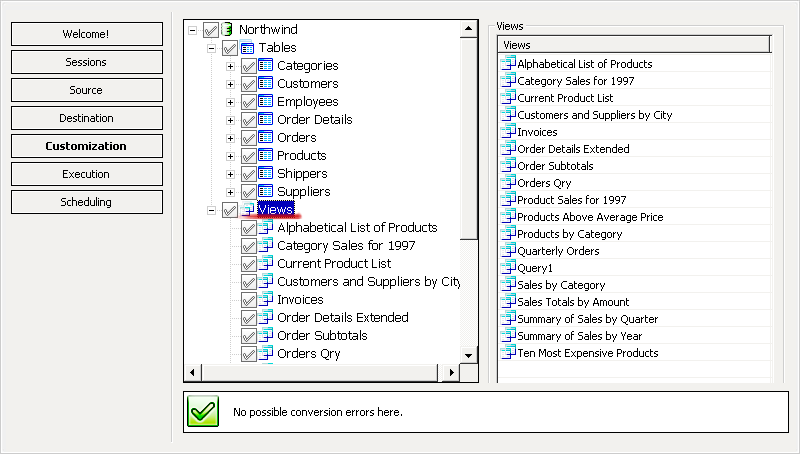
AutomationDBConvert's innovative parser provides the most efficient and easiest way of cross database views/queries translation.
Our software converts SQL views completely automatically. There is no need to learn the differences in SQL dialects syntax. No special knowledge, differences in SQL dialects is required from you since it's already built into the tool.
Supported Directions:
Synchronize using 3 Sync Types
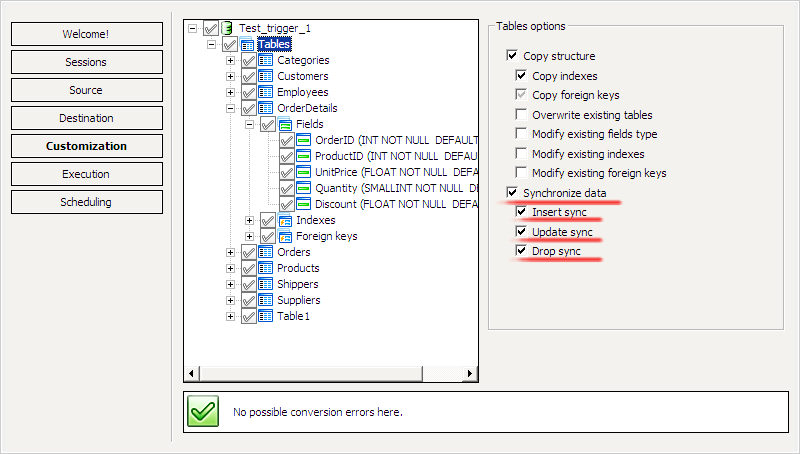
SyncDBSync tools keep your databases up-to-date with Update, Insert and Drop synchronization features.
Insert Sync
Inserts new missed records from a source database to destination database.
Update Sync
Meant for replacing the altered records in destination database.
Drop Sync
Cleanly removes records from destination database if correspondent records are absent in the source database.
These three types of sync together allow for preserving your distributed databases' integrity.
Trigger-based Sync
PerformanceTrigger-based sync method increases synchronization speed times.
Trigger-based database synchronization reflects changes made in one database to another databases in a distributed heterogeneous database system based on pre-created triggers.
Near Real-time Replication
A new design of our trigger based sync algorithm allows replicating data in near real-time by capturing and delivering updates of modified information as the changes occur and providing continuous data synchronization across heterogeneous environments.
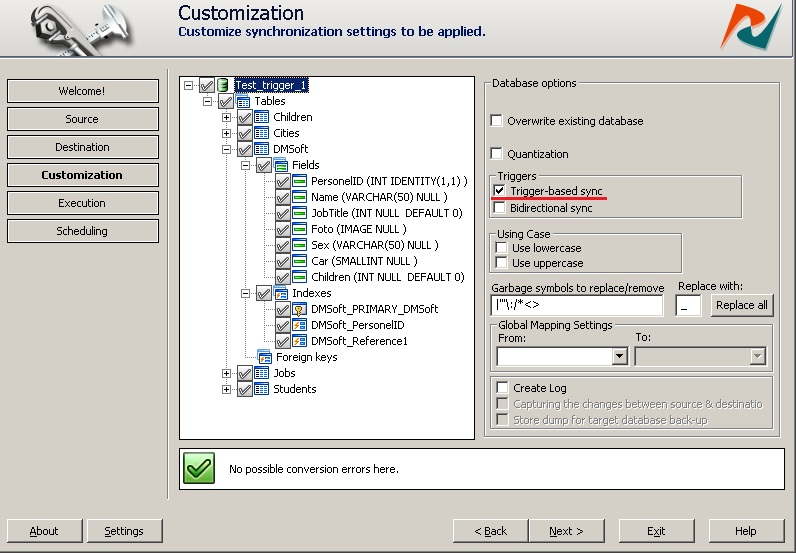
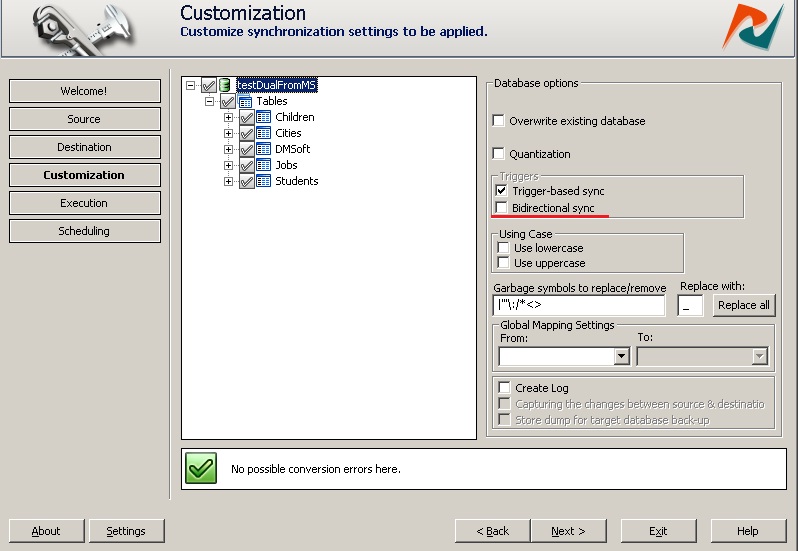
Bidirectional Synchronization
SyncBi-directional synchronization replicates data in both directions keeping data up-to-date in all synced nodes. Just check the "Bidirectional sync" option at the customization step and our synchronizer will do the hard work for you.
Supported DBSync Tools:
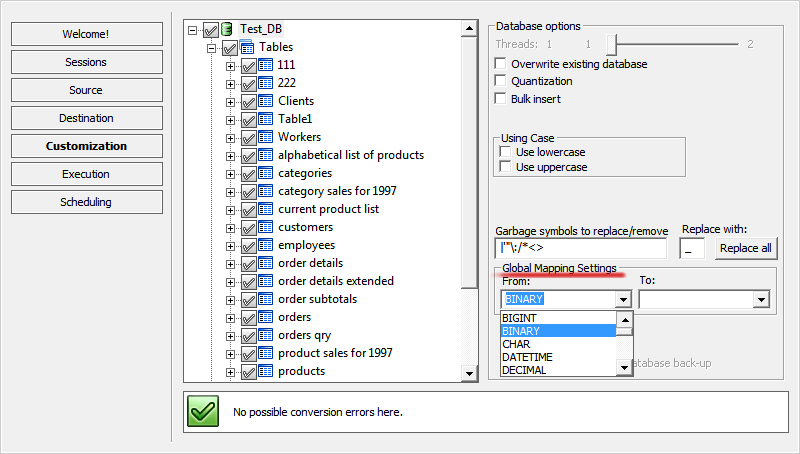
Map Data Types
AutomationOur solutions perform simple data type assignment for destination database tables automatically. Moreover, you can also configure your own rules for data types manipulation. Just redefine automatic configuration options made by our DBConvert software for the target fields or the most appropriate data types for the source type and the rest will be done automatically during migration process.
Flexible Data Mapping
With our integrated Data Mapping feature you can easily match one data type to its closest relative equivalent in the target fields. Compatible data type assignment makes your cross database conversions more flexible.
Data Filters
ControlManage your database conversion processes with the help of our integrated data filters. Define filtering conditions and retrieve only the specific dataset for conversion. Due to our integrated data filters you get more control on data migration process.
You can select only the tables, fields, indices, foreign keys, queries and views you need before you proceed.
Learn more about Data Filters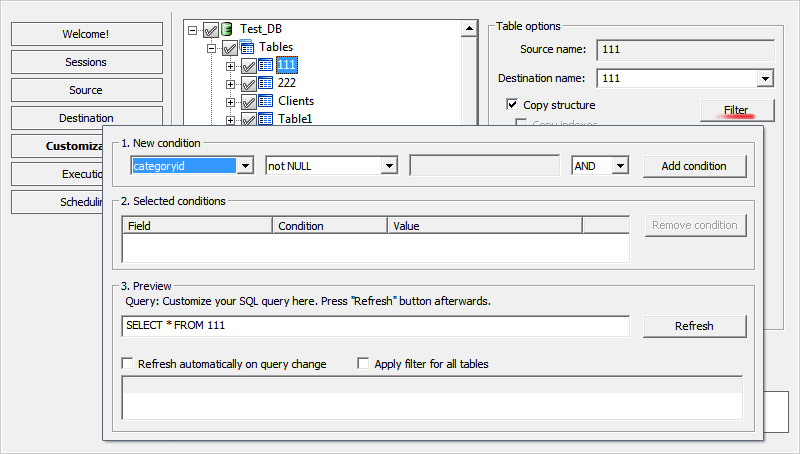
Automation & Scheduling
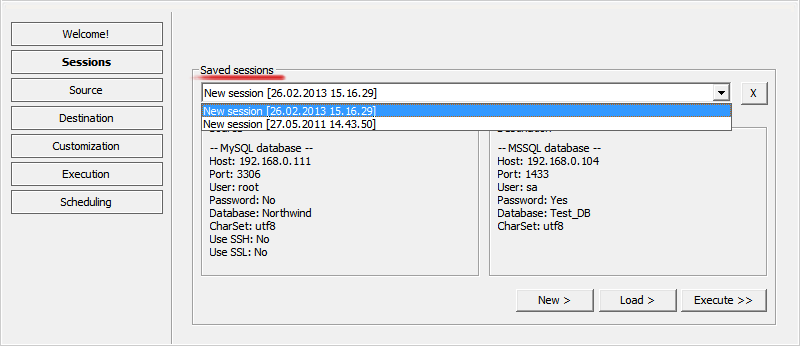
AutomationSave Sessions
Increase your work productivity. Save your sessions and use them again - avoid wasted time repeatedly configuring source and destination databases. Use your saved customizations every time you want to migrate data.
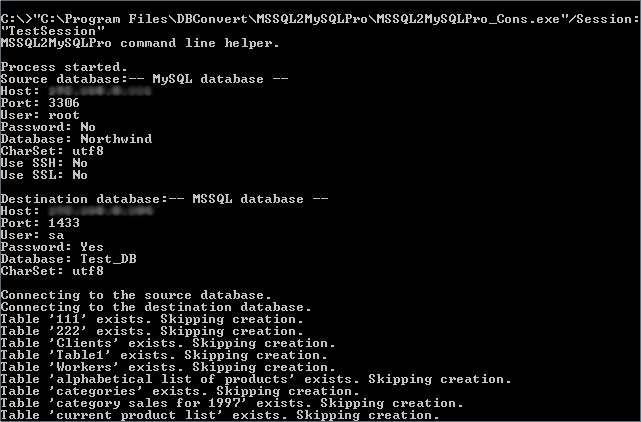
Command Line Mode
Use command line mode to automate your export and import jobs using the saved session name as a parameter.
Built-in Scheduler
Conversion and synchronization task management is performed in all DBConvert tools with our built-in Scheduler.
Using sessions and batch files as parameters, the scheduled tasks will automatically work as services in a background mode, allowing you an opportunity to run them unattended.
Learn about DBConvert Scheduler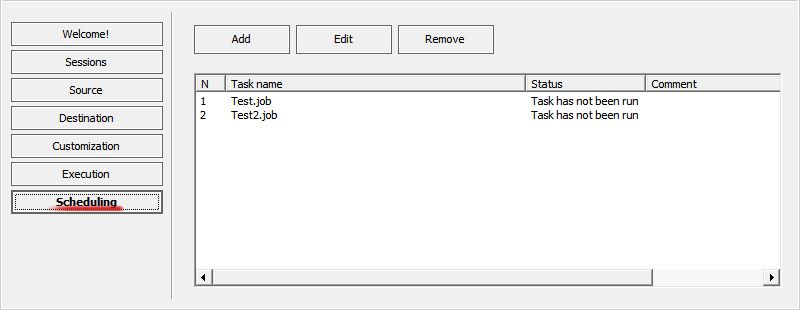
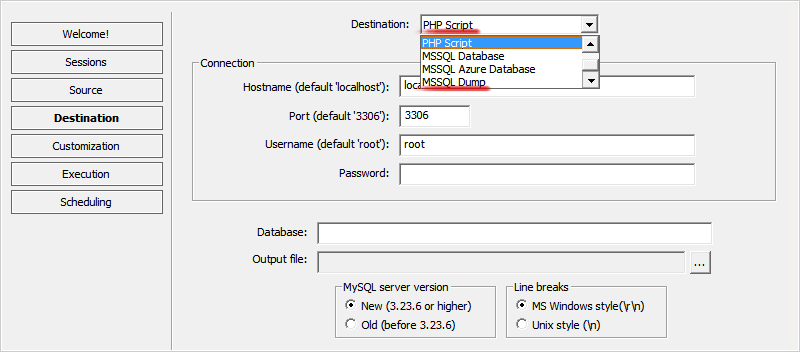
Dump-file output
Offline target
When you can't connect to the target server directly, DBConvert can write the migration result to a SQL dump file instead. The file can be loaded later through psql, mysql, sqlcmd, phpMyAdmin, or any standard restore path.
Supported engines
MySQL, PostgreSQL, MS SQL Server, Oracle, Firebird. See dump-file destinations for the full configuration.
SSH Forwarding
SecurityDBConvert software is able to establish a stable connection between different platforms and provide a secure tunnel for safe data transfers with optional SSH configurations.
Learn about SSH Forwarding configuration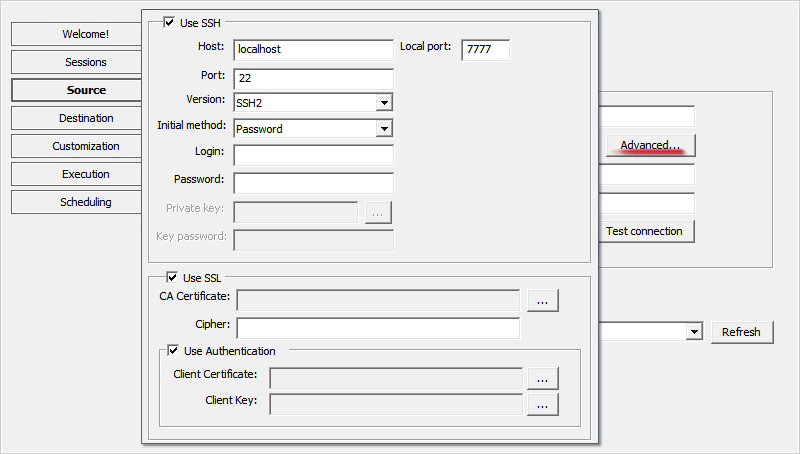
Unicode Support
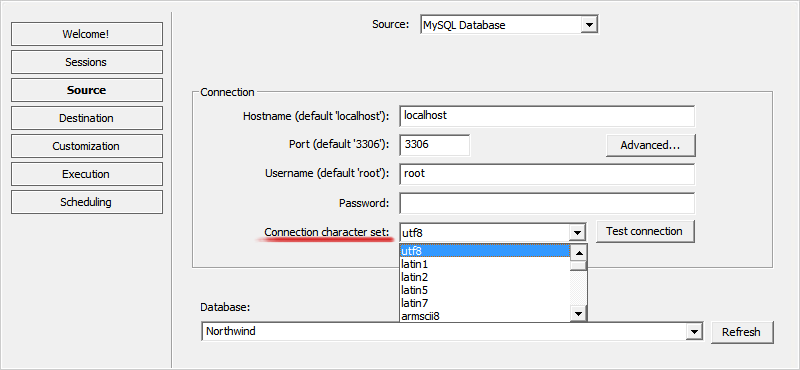
CompatibilityDBConvert products support the Unicode standard faithfully with multi-byte character set support. So they're compatible with many modern character sets (including Unicode utf-8) and associated standards.
You can choose your desired character set when establishing connection to a database.
Complete Configuration
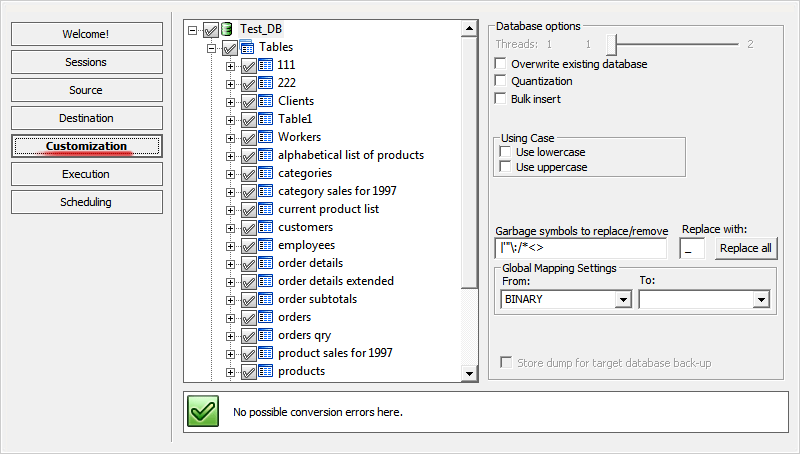
CustomizationCopy your database as-is or modify the target database structure! All customizations are organized on the WYSIWYG principal. All objects including tables, views, fields, indices and foreign keys can be tuned up before migration starts, i.e., renamed or excluded.
Additional Features
Comprehensive capabilities for all your database needs
Core Features
- Interactive (GUI) mode and command line mode
- Cross-platform database server connectivity
- Unicode (utf-8/utf-16) support
- Field mapping capabilities
- Quantization and Bulk insert options
Advanced Features
- Primary keys, indexes, and relations conversion
- AutoIncrement (AutoNumber) fields conversion
- Automatic symbol replacement for reserved names
- Task scheduler automation
- Sessions/jobs saving and restoration
System Requirements
Operating System
- Windows 11/10/8/7
Dependencies
- Microsoft Visual C++ 2010 x86 Redistributable
Related: choose a path
Three angles on the same toolkit — what it does, which tool fits your job, and how to run it step by step.