Google Cloud SQL Migration Tools

Cloud database migration and synchronization for Google Cloud SQL

Migrate and synchronize data between Google Cloud SQL, on-premises databases, and other cloud platforms with DBConvert and DBSync tools.

Managed
Relational database service
Hybrid
On-premises and cloud workflows
Cross-engine
MySQL, PostgreSQL, SQL Server, Oracle

Google Cloud Overview

What is Google Cloud SQL?

Google Cloud SQL is a managed relational database service for PostgreSQL, MySQL, and SQL Server databases in Google Cloud.

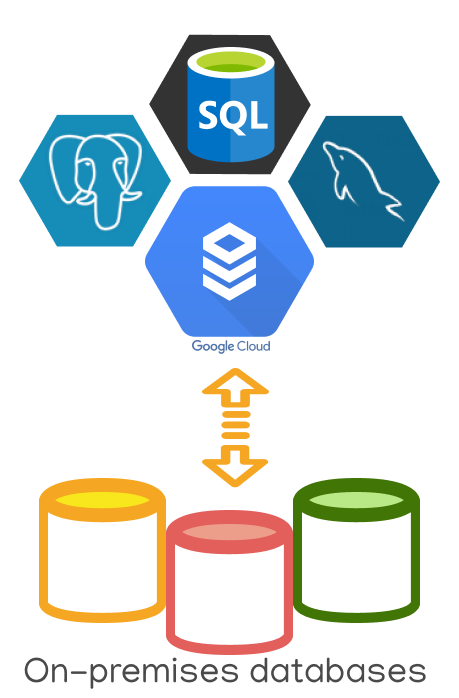
DBConvert and DBSync help move data from self-managed database servers to Cloud SQL, synchronize existing systems with Cloud SQL, and handle cross-engine migration projects.

DBConvert & DBSync Solutions

Use DBConvert for database migration and DBSync for repeatable synchronization between self-managed servers, Google Cloud SQL, and other cloud databases.

Google Cloud SQL Migration

Migration Strategies

Cloud SQL Migration Strategies

Choose a same-engine move or use migration as a chance to re-platform to another database engine.

Same Database Type Migration

  • Keep the same database type as the on-premises source
  • Reduce maintenance costs of self-managed servers
  • Use automatic storage capacity management
  • Synchronize on-premises instances with Cloud SQL
Existing Database GCP Service
MySQL Cloud SQL for MySQL
PostgreSQL Cloud SQL for PostgreSQL
SQL Server Cloud SQL for SQL Server

Cross-Platform Migration

Re-platforming to another database type can reduce licensing costs, move workloads toward open-source engines, or support a cloud modernization plan.

  • Oracle to Cloud SQL for PostgreSQL
  • SQL Server to MySQL or PostgreSQL
  • AWS RDS to Google Cloud SQL
  • Multi-cloud and hybrid database sync

Tooling Comparison

GCP Migration Tool vs. DBConvert Solutions

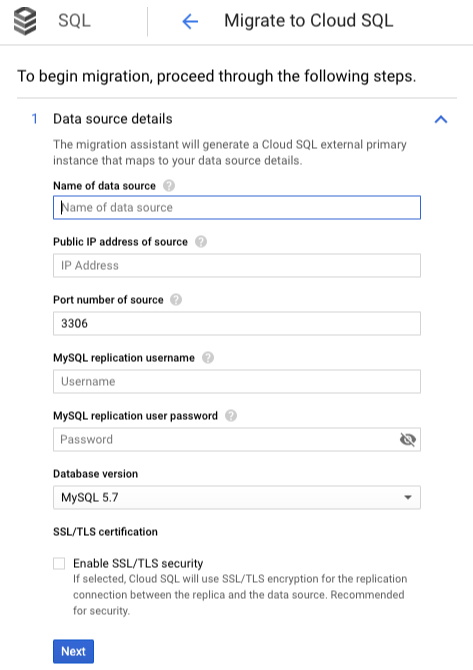
Google Cloud Migration Tool

Google Cloud Platform provides a native tool for moving MySQL databases to Cloud SQL. It can be useful for a narrow same-engine path.

  • Limited to MySQL database sources in this scenario
  • No heterogeneous migration workflow

DBConvert Advantage

DBConvert supports database migration and synchronization across several source and target engines.

  • Multiple database source engines
  • Cross-platform database migrations
  • Bidirectional synchronization
  • Multi-cloud and hybrid support
GCP MySQL Migration Tool

DBConvert Features

Why Use DBConvert for Cloud SQL?

DBConvert solutions work with Google Cloud SQL, AWS RDS/Aurora, Azure SQL Database, and hybrid environments.

Bidirectional Sync

Synchronize data between sources and destinations for staged migration and hybrid systems.

Trigger-Based Sync

Use trigger-based synchronization for near-real-time consistency in supported workflows.

Bulk Operations

Run optimized data transfer jobs for larger migration projects and repeatable loads.

Configuration Tip

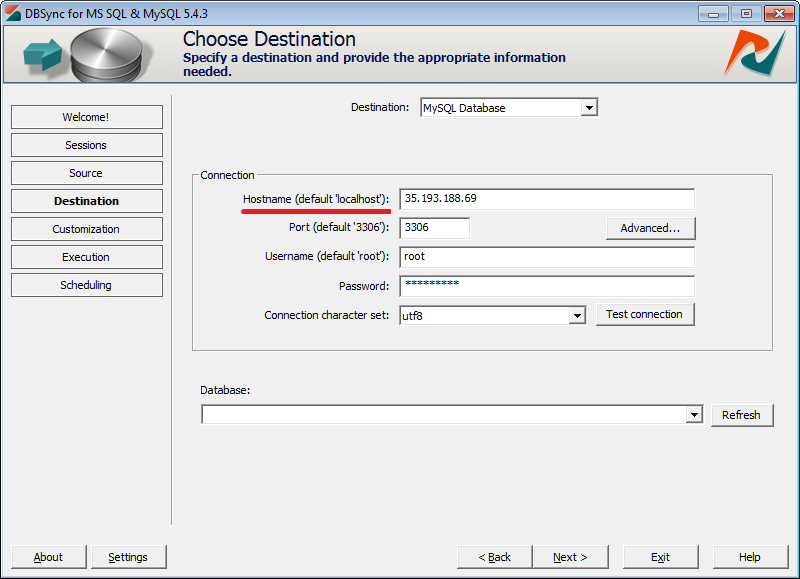
To connect to a Google Cloud SQL instance, use the same settings as a traditional database connection and set the Cloud SQL instance IP address as the hostname.

Google Cloud SQL IP Settings
DBConvert Google Cloud Configuration

Documentation

Google Cloud SQL Guides

Migration Guides

Database Migrations to Google Cloud

For custom migration scenarios or enterprise support, contact our team.

Popular Directions

Top Cloud SQL Migration Directions

SQL Server to Google Cloud

Migrate Microsoft SQL Server databases to Cloud SQL.

MySQL to Cloud SQL

Move MySQL databases to Google Cloud SQL for MySQL.

Oracle to Google Cloud

Migrate Oracle databases to Cloud SQL PostgreSQL.

AWS RDS to Cloud SQL

Move from Amazon RDS to Google Cloud SQL.

PostgreSQL Sync

Synchronize PostgreSQL databases with Cloud SQL instances.

DBConvert Streams

Real-time CDC

Need log-based, real-time replication?

DBConvert Streams is a separate product for continuous, log-based change data capture. DBConvert and DBSync tools on this page cover conversion, scheduled sync, and trigger-based sync workflows.

See Streams

Free Trial

Ready to Migrate to Google Cloud SQL?

Start a Google Cloud SQL migration with DBConvert tools or review Google Cloud SQL options.