DBConvert & DBSync Features
Everything DBConvert and DBSync do to move your databases and keep them in sync - fast, secure, and under your control.
Speed up your database migrations
PerformanceMigration speed depends on several factors - source dataset size, machine performance, output settings, and more. The conversion engine handles databases with millions of records.
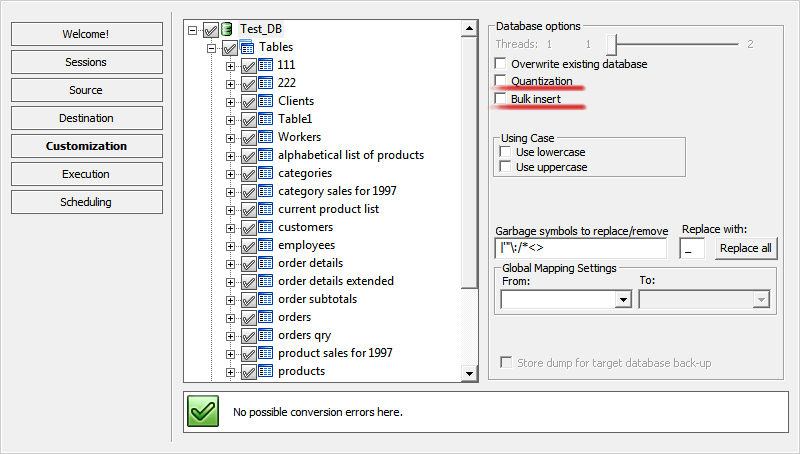
Bulk insert option
For time-critical jobs. It inserts several records at once into the target database to speed up the whole migration.
Quantization option
Handles large tables with millions of rows more efficiently. DBConvert reads the source in batches and uploads each batch to the destination, instead of loading the whole table at once.
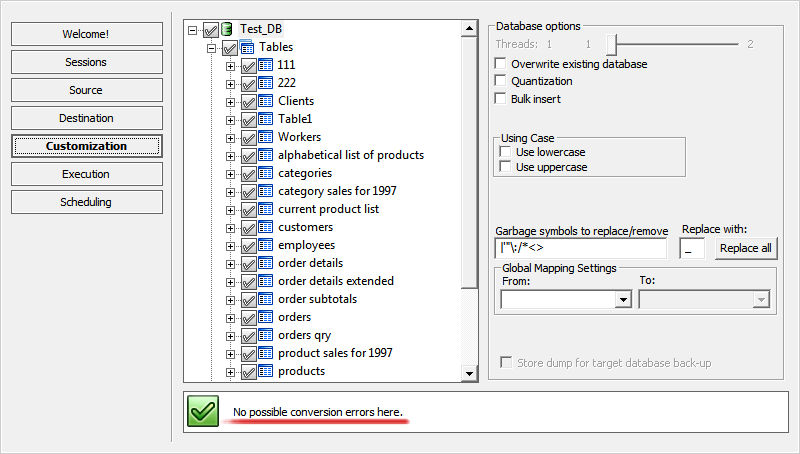
A clean transfer, every time
ReliabilityDBConvert checks your schema before the transfer runs, so problems surface while they are still easy to fix. It flags type mismatches and issues with tables, indexes, and relations up front, and most are cleared with a quick adjustment at the customization step. Prevention beats correction.
The built-in verification reviews your structure and relationships before migration, so nothing is silently lost or altered. You move your data knowing exactly what will land on the destination.
Binary data support
Your binary data stays safe. DBConvert handles every binary type - BLOBs, OLE Object packages, BYTEA, and more - and carries primary keys, indexes, and foreign keys across intact.
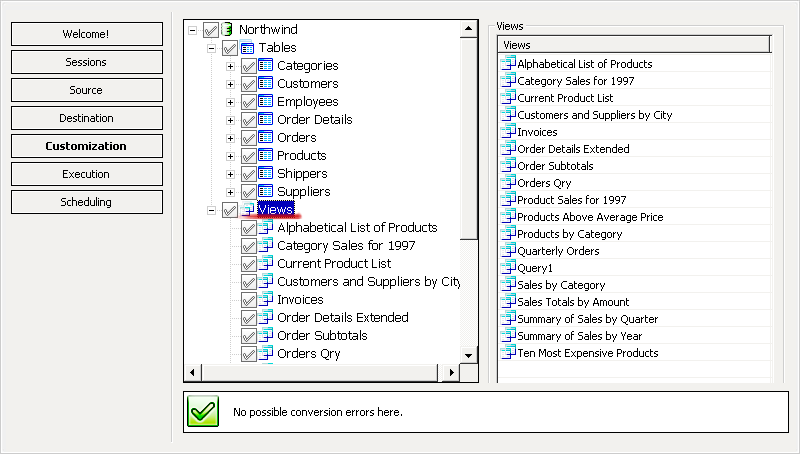
Convert views/queries automatically
AutomationDBConvert's parser handles cross-database views/queries translation for you.
It converts SQL views completely automatically. You don't need to know the differences between SQL dialects - that knowledge is already built into the tool.
Supported directions:
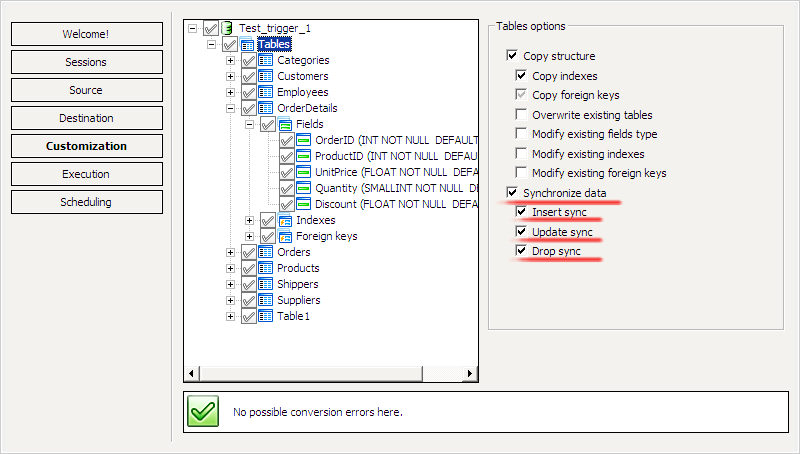
Three ways to synchronize
SyncDBSync tools keep your databases up-to-date with Update, Insert and Drop synchronization features.
Insert sync
Adds new, missing records from the source database to the destination.
Update sync
Replaces records in the destination that have changed in the source.
Drop sync
Removes records from the destination when the corresponding records no longer exist in the source.
Together, these three types keep your distributed databases consistent.
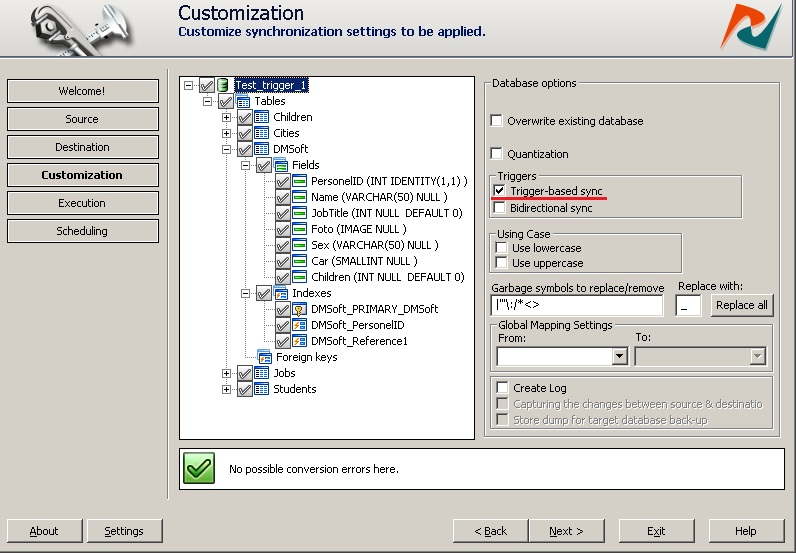
Trigger-based sync
PerformanceThe trigger-based sync method speeds up synchronization many times over.
Using pre-created triggers, it reflects changes made in one database across the others in a distributed, heterogeneous setup.
Near real-time replication
Triggers on the source catch each insert, update, and delete as it happens and pass it to the other databases, so the copies stay current without a full re-sync.
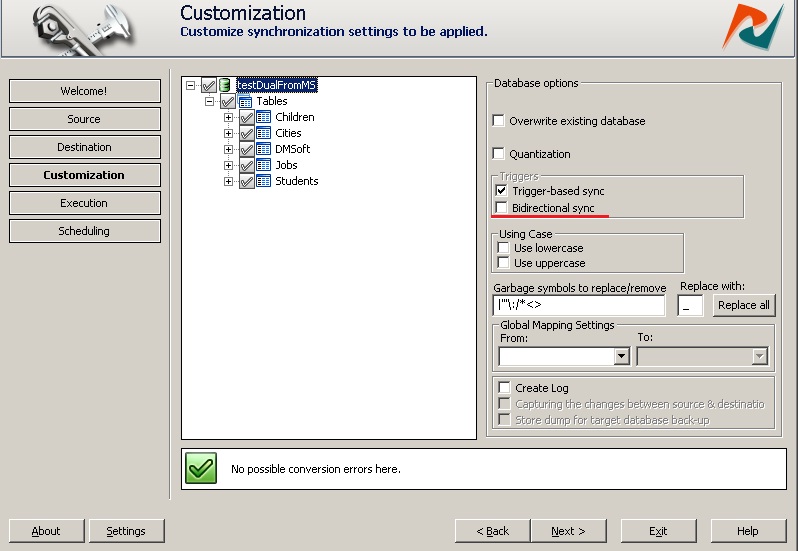
Bidirectional synchronization
SyncBidirectional synchronization replicates data in both directions, keeping every synced node up to date. Just check the "Bidirectional sync" option at the customization step and the synchronizer does the rest.
Supported DBSync tools:
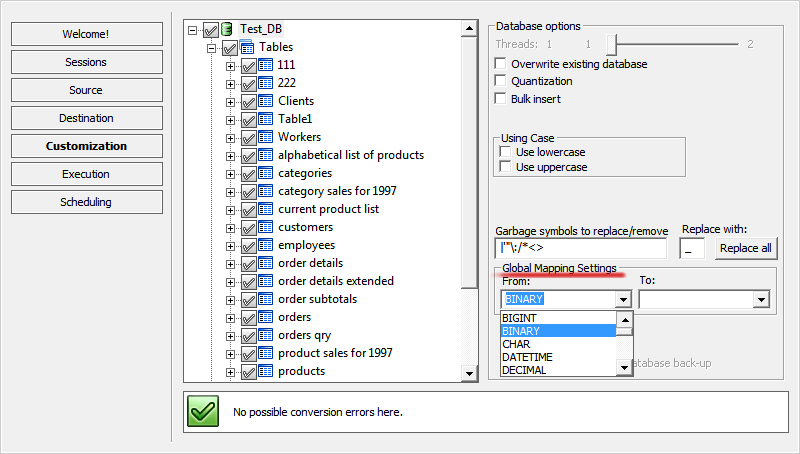
Map data types
AutomationDBConvert assigns target data types automatically, and you can override any of them. Pick the type you want for a given source field, and the rest is handled during migration.
Flexible data mapping
Each source type maps to its closest match in the target by default, and you can change any mapping before the migration runs.
Data filters
ControlBuilt-in data filters give you more control over the migration. Define filtering conditions and convert only the dataset you need.
You can select only the tables, fields, indexes, foreign keys, queries, and views you need before you proceed.
Learn more about Data Filters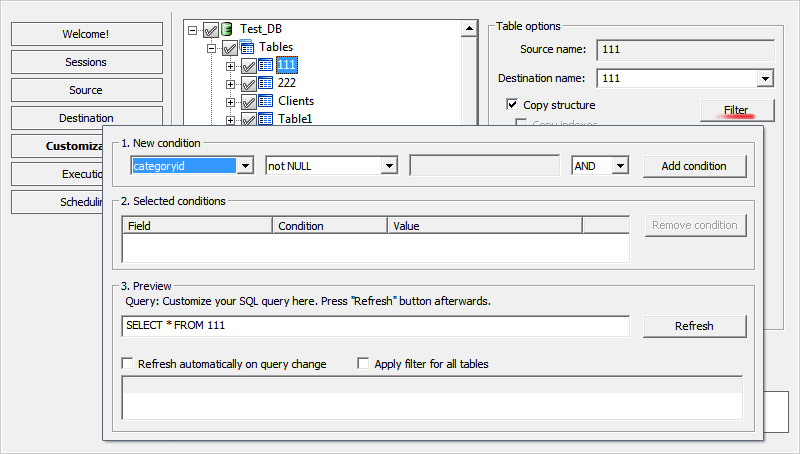
Automation and scheduling
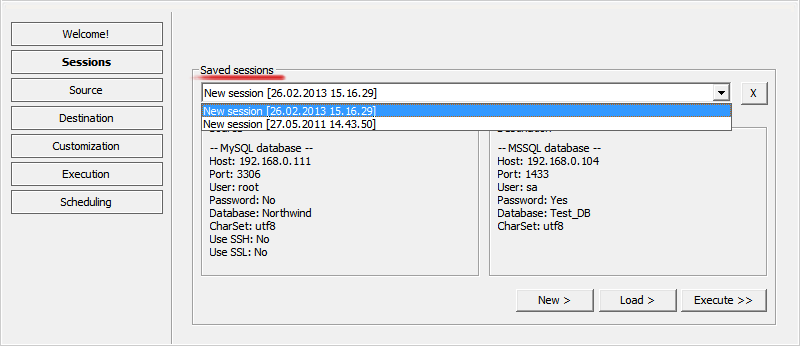
AutomationSave sessions
Save your sessions and reuse them - no more reconfiguring source and destination every time. Apply your saved customizations whenever you migrate data.
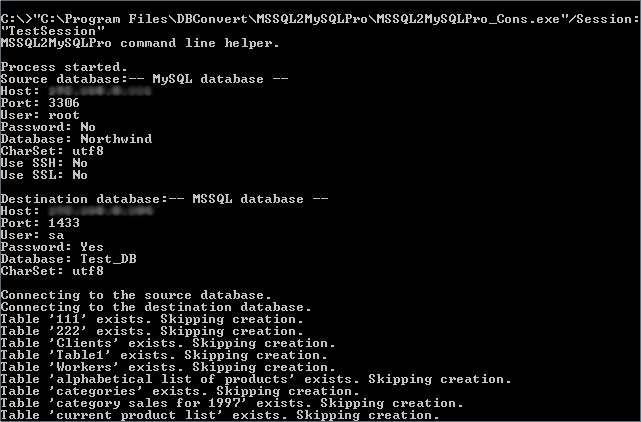
Command line mode
Use command line mode to automate your export and import jobs using the saved session name as a parameter.
Built-in scheduler
Every DBConvert tool manages conversion and synchronization tasks through the built-in scheduler.
With sessions and batch files as parameters, scheduled tasks run as background services - unattended, on your schedule.
Learn about DBConvert Scheduler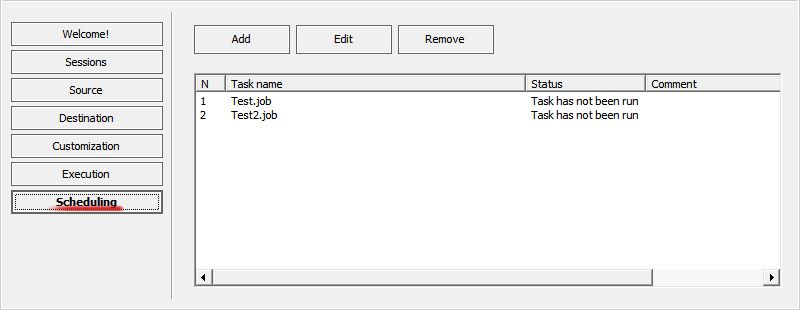
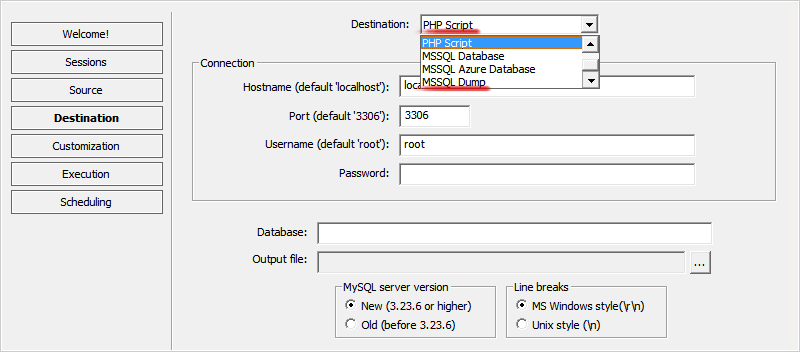
Dump-file output
Offline target
When you can't connect to the target server directly, DBConvert can write the migration result to a SQL dump file instead. The file can be loaded later through psql, mysql, sqlcmd, phpMyAdmin, or any standard restore path.
Supported engines
MySQL, PostgreSQL, MS SQL Server, Oracle, Firebird. See dump-file destinations for the full configuration.
SSH forwarding
SecurityWith optional SSH configuration, DBConvert establishes a secure tunnel between platforms for safe data transfer.
Learn about SSH Forwarding configuration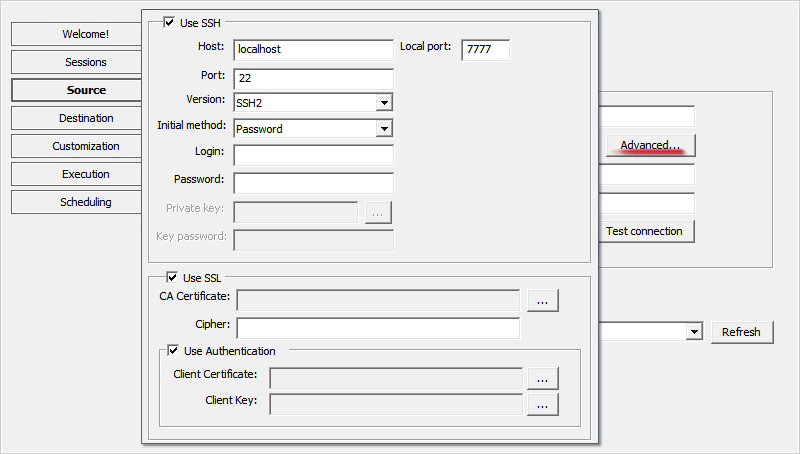
Unicode support
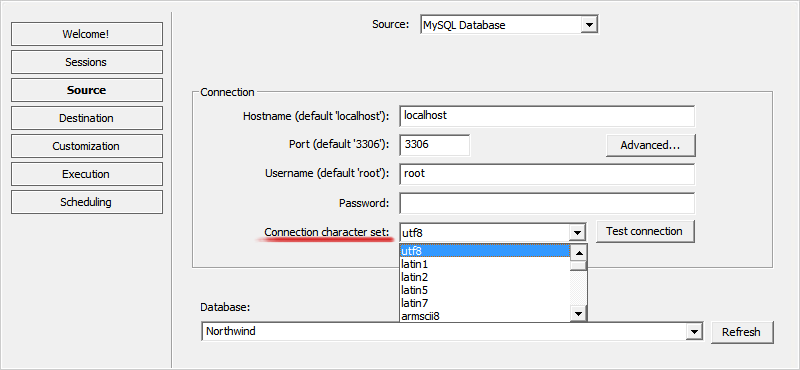
CompatibilityDBConvert products fully support Unicode and multi-byte character sets, so they work with modern encodings (including utf-8) and the related standards.
You can choose your desired character set when establishing connection to a database.
Complete configuration
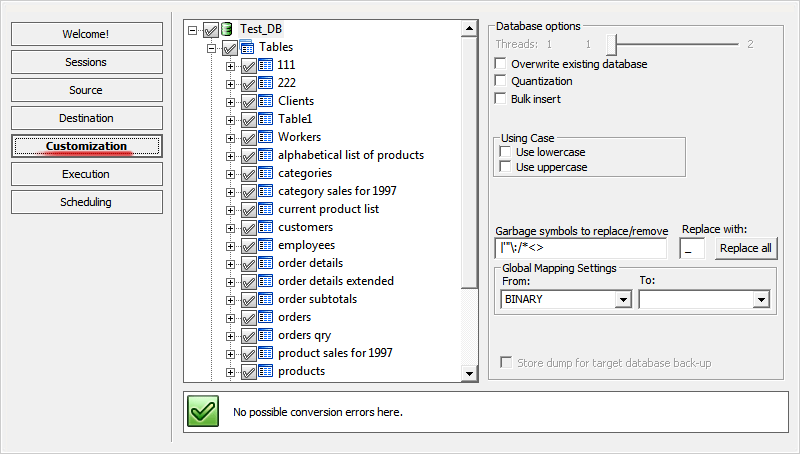
CustomizationCopy your database as-is or reshape the target structure. Customization is WYSIWYG: every object - tables, views, fields, indexes, foreign keys - can be adjusted before migration starts, e.g. renamed or excluded.
Additional features
Comprehensive capabilities for all your database needs
Core features
- Interactive (GUI) mode and command line mode
- Cross-platform database server connectivity
- Unicode (utf-8/utf-16) support
- Field mapping capabilities
- Quantization and Bulk insert options
Advanced features
- Primary keys, indexes, and relations conversion
- AutoIncrement (AutoNumber) fields conversion
- Automatic symbol replacement for reserved names
- Task scheduler automation
- Sessions/jobs saving and restoration
System requirements
Operating system
- Windows 11/10/8/7
Dependencies
- Microsoft Visual C++ 2010 x86 Redistributable
Related: choose a path
Three angles on the same toolkit - what it does, which tool fits your job, and how to run it step by step.