Field options
Click Fields under a table to see the list of fields and their target definitions.
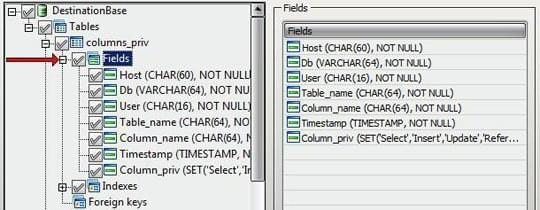
Select a field to review and override its target definition.
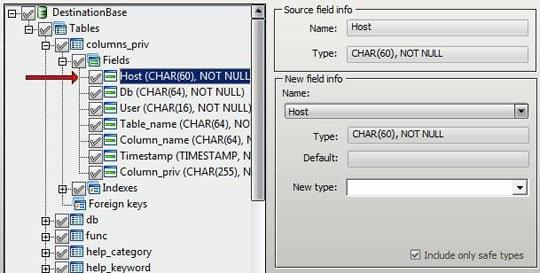
The Source field info group shows the original field name and source type. The New field info group holds the target settings - rename the field, change its type, or adjust how it is created on the target.
Pick the target type from the New type list.
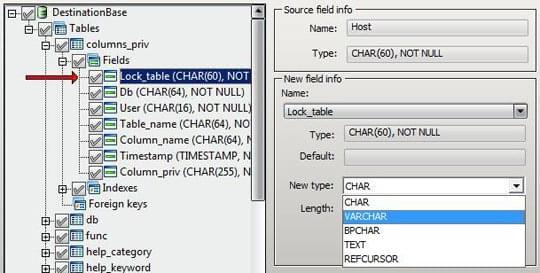
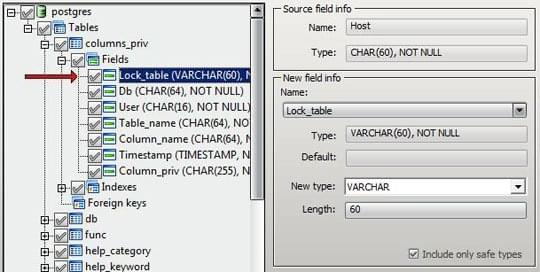
Include only safe types is on by default. With it enabled, the target-type list is limited to types that map safely from the source - types that would cause data loss are hidden. Turn it off if you need access to the full target-engine type list.
For per-database (global) overrides that apply to every table, use Global mapping in Database options.
For a worked MySQL ↔ SQL Server type-mapping reference, see this Medium article: MySQL and SQL Server data types mapping.
Index options
Click Indexes under a table to see the indexes defined for it.
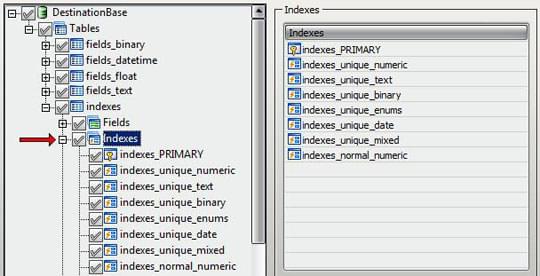
Select an index to review its target definition.
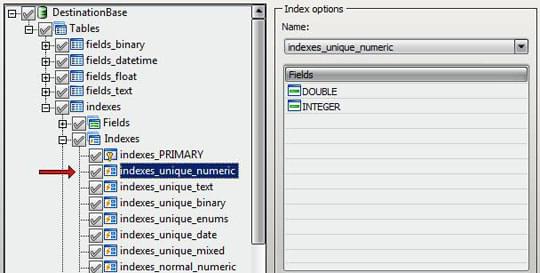
The Index options group lets you rename the index and see which fields it depends on. Edit Name to override the generated target name. Required fields must be selected for conversion alongside the index - if not, the customization stage flags the index in red. See Pre-migration checks.
Foreign-key options
Click Foreign Keys under a table to see the foreign keys defined for it.
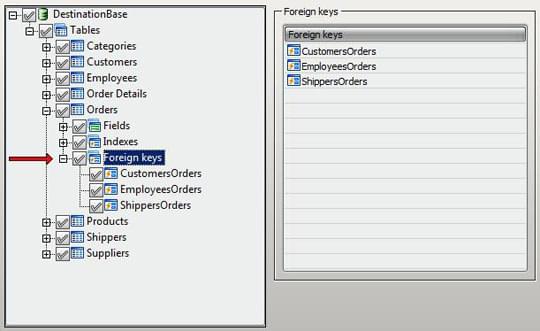
Select a foreign key to review its target definition. In the Foreign key options group, use the dropdown to pick an available generated name or type a different value in Name.
As with indexes, the fields referenced by a foreign key must also be selected for conversion - otherwise the customization stage flags the foreign key.